重要
翻訳は あなたが参加できる コミュニティの取り組みです。このページは現在 100.00% 翻訳されています。
18.11. ベクタ計算機
注釈
このレッスンでは、ベクタ計算機を使用して、数式に基づいてベクタレイヤに新しい属性を追加する方法について説明します。
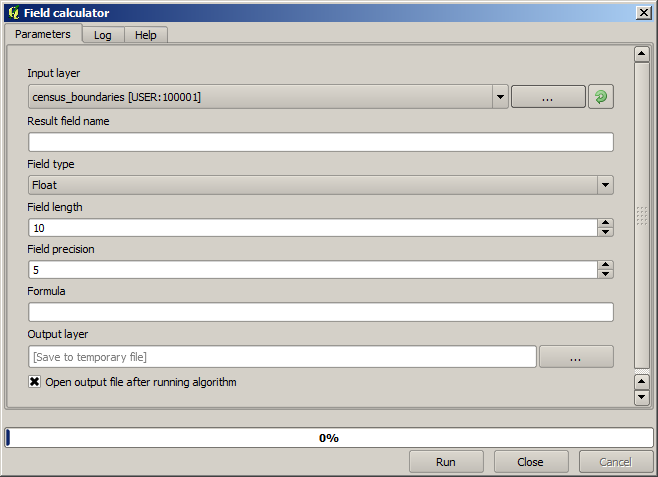
数式を使用して新しいラスタレイヤを作成するためにラスタ計算機を使用する方法はすでに知っています。同様のアルゴリズムがベクタレイヤに対して利用でき、入力レイヤと同じ属性に加え、入力された式の結果による追加の属性も持つ新しいレイヤを生成します。このアルゴリズムは、フィールド計算機 と呼ばれ、以下のパラメータダイアログボックスを持っています。
注釈
プロセシングの新しいバージョンではインターフェイスが大幅に変更され、使うのにより強力で簡単です。
これはそのアルゴリズムを使ったいくつかの例です。
まずは、国勢調査を表し、各ポリゴン中の白人の人口密度を計算してみましょう。属性テーブルにはそのために使用できる二つのフィールド、つまり WHITE と SHAPE_AREA があります。(平方キロメートルあたりの密度にするためには)それらを割り算して、百万を掛ける必要があるだけなので、対応するフィールドに次の式を使用できます:
( "WHITE" / "SHAPE_AREA" ) * 1000000
以下に示すようにパラメーターダイアログが満たされる必要があります。
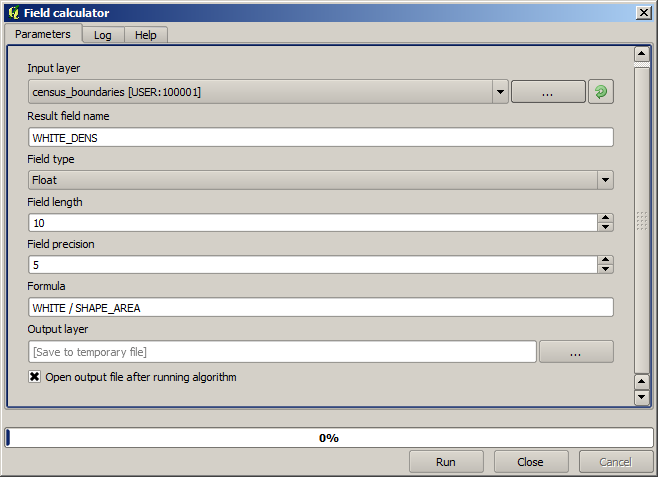
これは WHITE_DENS という名前の新しいフィールドを生成します。
今度は、男性人口が女性人口に比して数値的に優位にあるかどうかを示す新しいものを作成するために、 MALES と FEMALES フィールド間の比率を計算してみましょう。
次の式を入力します:
"MALES" / "FEMALES"
今回 OK ボタンを押す前のパラメータウィンドウは次のようになります。
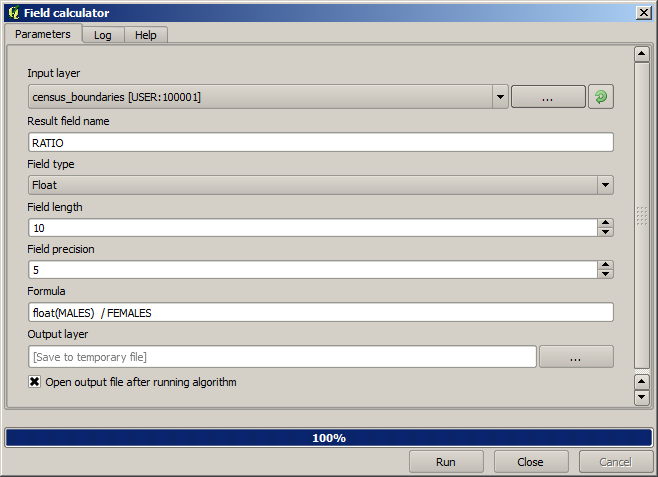
以前のバージョンでは、両方のフィールドが整数型であるため、結果が整数に切り捨てられることになります。今回は結果を浮動小数点数にすることを示すため、式は次のようになります: 1.0 * "MALES" / "FEMALES" 。
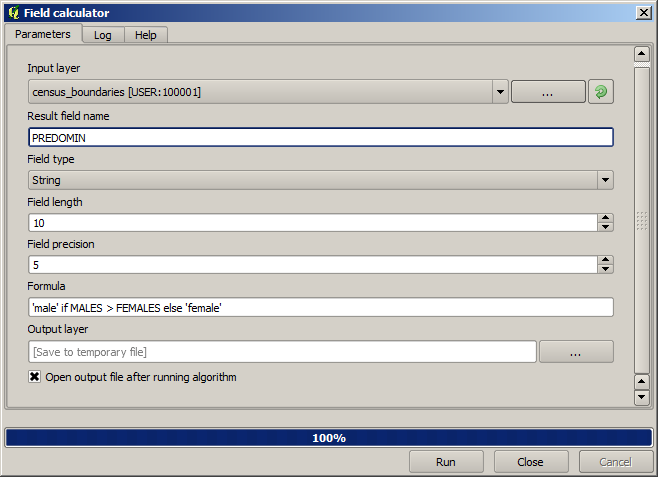
次の式を使用して、 male または female テキスト文字列の代わりに、それらの比の値で新しいフィールドを持つように、条件付きの関数を使用できます:
CASE WHEN "MALES" > "FEMALES" THEN 'male' ELSE 'female' END
パラメーターウィンドウは、次のようになります。
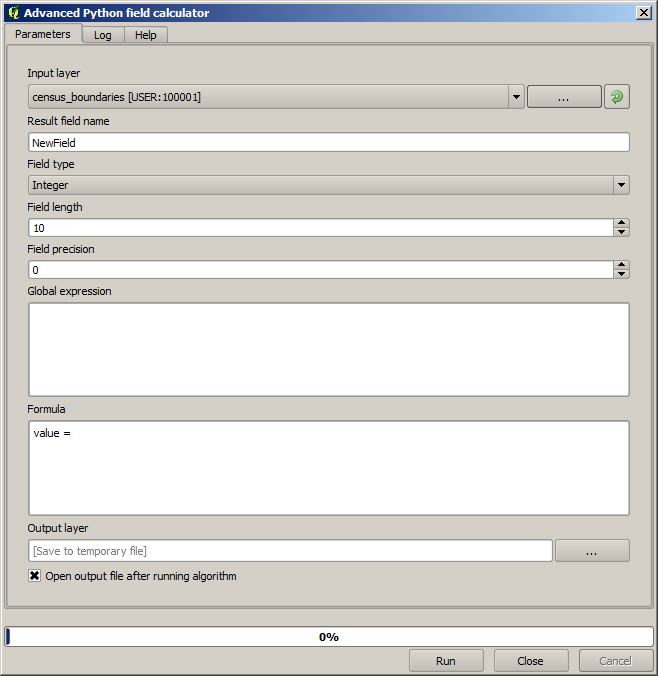
Pythonフィールド計算機は 高度なPythonのフィールド計算機 で利用できますがここでは詳述しません。