Viktigt
Översättning är en gemenskapsinsats du kan gå med i. Den här sidan är för närvarande översatt till 62.50%.
18.11. Vektorkalkylator
Observera
I den här lektionen ska vi se hur man lägger till nya attribut i ett vektorlager baserat på ett matematiskt uttryck med hjälp av vektorkalkylatorn.
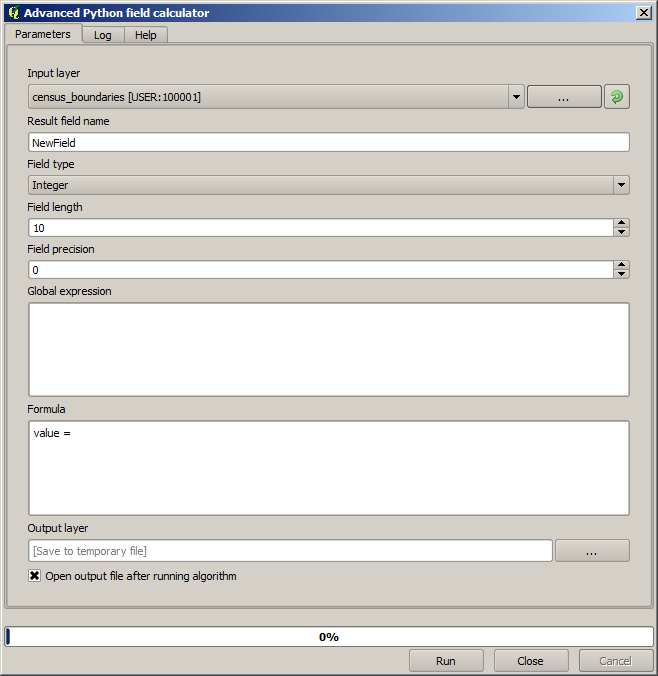
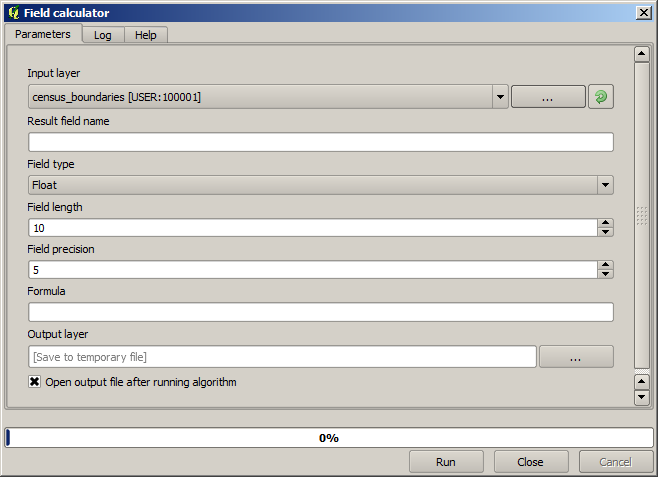
We already know how to use the raster calculator to create new raster layers using mathematical expressions. A similar algorithm is available for vector layers, and generates a new layer with the same attributes of the input layer, plus an additional one with the result of the expression entered. The algorithm is called Field calculator and has the following parameters dialog.
Observera
I nyare versioner av Processing har gränssnittet ändrats avsevärt, det är mer kraftfullt och lättare att använda.
Här är några exempel på hur den algoritmen kan användas.
First, let’s calculate the population density of white people in each polygon, which represents a census.
We have two fields in the attributes table that we can use for that, namely WHITE and SHAPE_AREA.
We just have to divide them and multiply by one million (to have density per square km),
so we can use the following formula in the corresponding field:
( "WHITE" / "SHAPE_AREA" ) * 1000000
Dialogrutan för parametrar ska fyllas i enligt nedan.
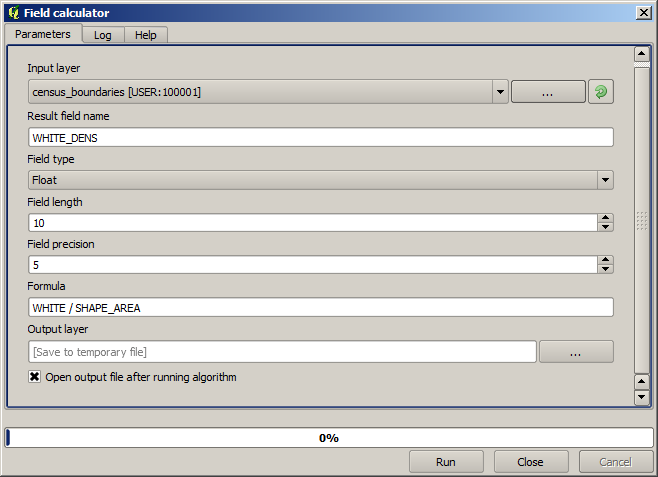
This will generate a new field named WHITE_DENS.
Låt oss nu beräkna förhållandet mellan fälten ”MÄN” och ”KVINNOR” för att skapa ett nytt fält som anger om den manliga befolkningen är numeriskt dominerande över den kvinnliga befolkningen.
Enter the following formula:
"MALES" / "FEMALES"
This time the parameters window should look like this before pressing the OK button.
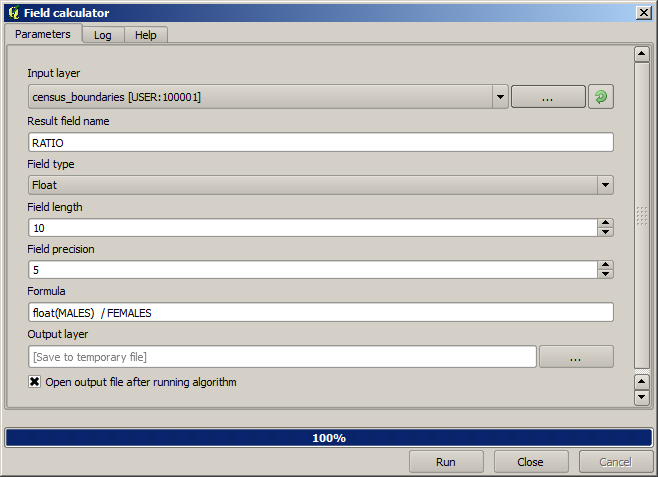
I tidigare versioner, eftersom båda fälten är av typen heltal, skulle resultatet trunkeras till ett heltal. I detta fall bör formeln vara: 1.0 * "MALES" / "FEMALES", för att ange att vi vill ha ett flyttal som resultat.
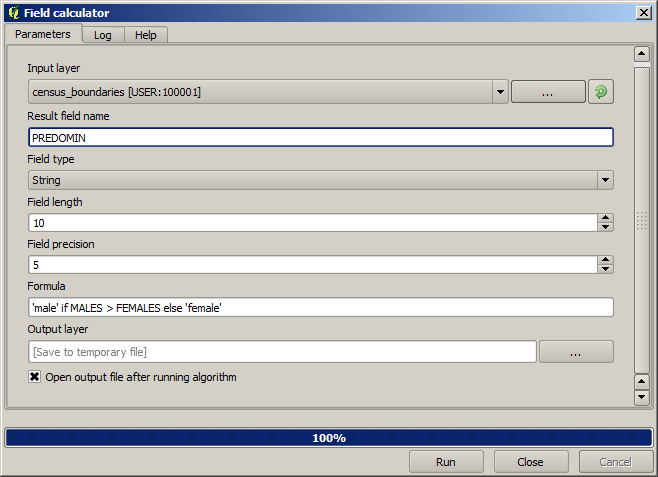
Vi kan använda villkorliga funktioner för att få ett nytt fält med textsträngar för male eller female i stället för dessa kvotvärden, med följande formel:
CASE WHEN "MALES" > "FEMALES" THEN 'male' ELSE 'female' END
Parameterfönstret bör se ut så här.
A python field calculator is available in the Advanced Python field calculator, which will not be detailed here.