Importante
La traducción es un esfuerzo comunitario puede unirse. Esta página está actualmente traducida en |progreso de traducción|.
8.2. Lección: Combinar los análisis
Utilizar los resultados vectorizados del análisis ráster te permitirá seleccionar solo construcciones con terreno adecuado.
El objetivo de esta lección: Utilizar los resultados de terreno vectorizado para seleccionar las parcelas adecuadas.
8.2.1. ★★☆ Ponte a prueba:
Guarde su mapa actual (
raster_analysis.qgs).Abra el mapa que creó anteriormente durante el análisis vectorial (debería haber guardado el archivo como
analysis.qgs).En el panel Layers , active estas capas:
hillshade,solution(orbuildings_over_100)
Además de estas capas, que ya deberían estar cargadas en el mapa de cuando trabajó en él antes, también agregue el dataset
suitable_terrain.shp.Si ha perdido algunas capas, debería encontrarlas en
exercise_data/residential_development/Use the Intersection tool () to create a new vector layer called
new_solution.shpwhich contains only those buildings which intersect thesuitable_terrainlayer.
Ahora deberías tener una capa mostrando ciertas construcciones como tu solución, por ejemplo:
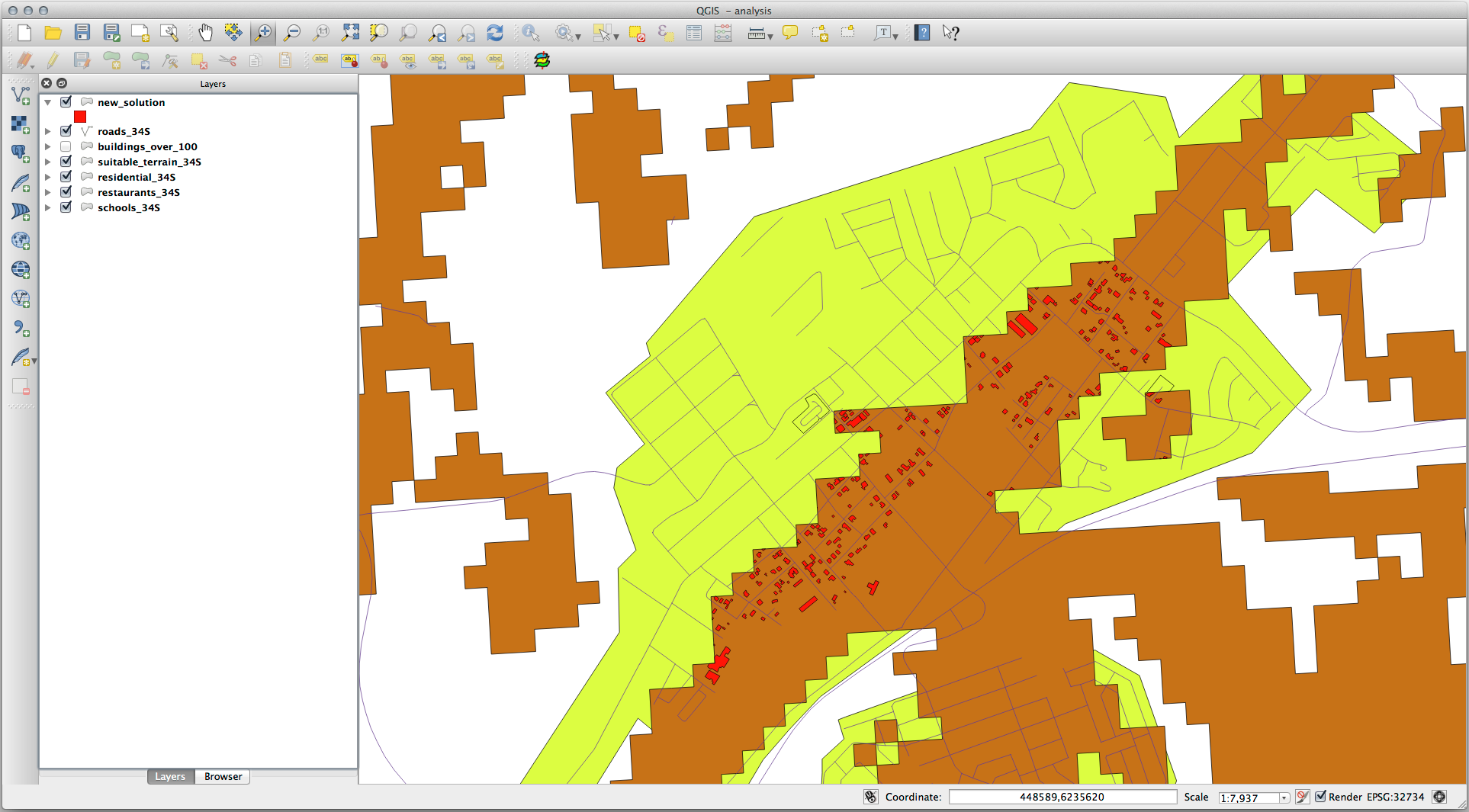
8.2.2. ★★☆ Pruébelo usted mismo: Inspeccionar los resultados
Look at each of the buildings in your new_solution layer. Compare them
with the suitable_terrain layer by changing the symbology for the
new_solution layer so that it has outlines only. What do you notice
about some of the buildings? Are they all suitable just because they intersect with
the suitable_terrain layer? Why or why not? Which ones would you
deem to be unsuitable?
Respuesta
You may notice that some of the buildings in your new_solution layer
have been «sliced» by the Intersection tool. This shows that only
part of the building - and therefore only part of the property - lies on
suitable terrain. We can therefore sensibly eliminate those buildings from
our dataset.
8.2.3. ★★☆ Ponte a prueba: Afinar el análisis
Puedes ver en los resultados que algunas construcciones que estaban incluidas no eran realmente adecuadas, así que ahora podemos refinar el análisis.
We want to ensure that our analysis returns only those buildings which fall
entirely within the suitable_terrain layer. How would you achieve this?
Use one or more Vector Analysis tools and remember that our buildings are all
over 100m squared in size.
Respuesta
Por el momento, su análisis debería ser algo como esto:
Considere un área circular, continua por 100 metros en todas las direcciones.

Si tiene más de 100 metros de radio, restar 100 metros de su tamaño (desde todas las direcciones) dará como resultado que una parte quede en el medio.
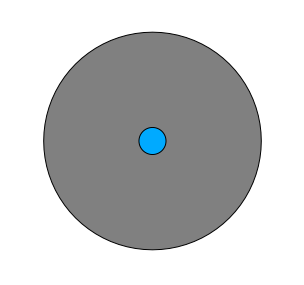
Therefore, you can run an interior buffer of 100 meters on your existing
suitable_terrain vector layer. In the output of the buffer
function, whatever remains of the original layer will represent areas where
there is suitable terrain for 100 meters beyond.
Demostrar:
Vaya a para abrir el cuadro de diálogo de Área(s) de influencia.
Ajustalo así:
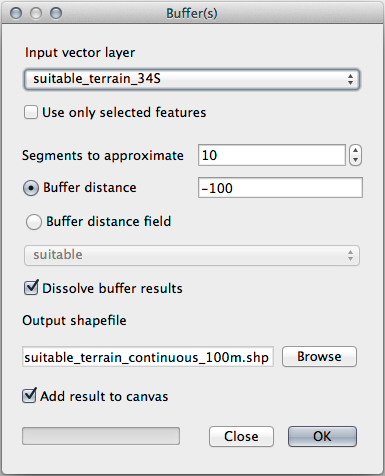
Use the
suitable_terrainlayer with10segments and a buffer distance of-100. (The distance is automatically in meters because your map is using a projected CRS.)Guarde la salida en
exercise_data/residential_development/comosuitable_terrain_continuous100m.shp.If necessary, move the new layer above your original
suitable_terrainlayer.Sus resultados se verán algo como esto:
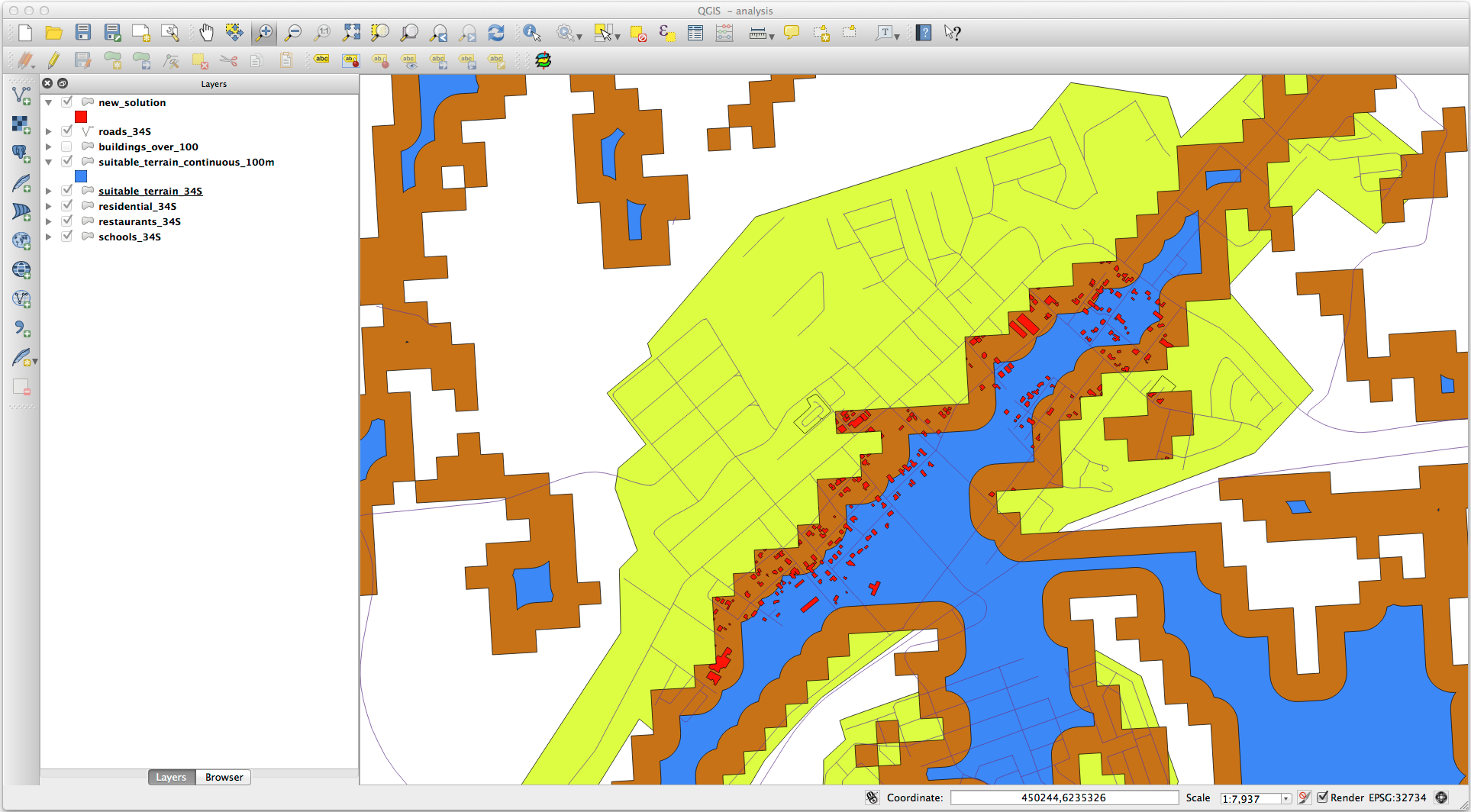
Ahora use la herramienta Seleccionar por localización ().
Configura así:
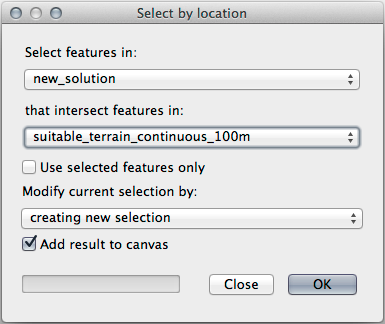
Select features in
new_solutionthat intersect features insuitable_terrain_continuous100m.shp.Este es el resultado:
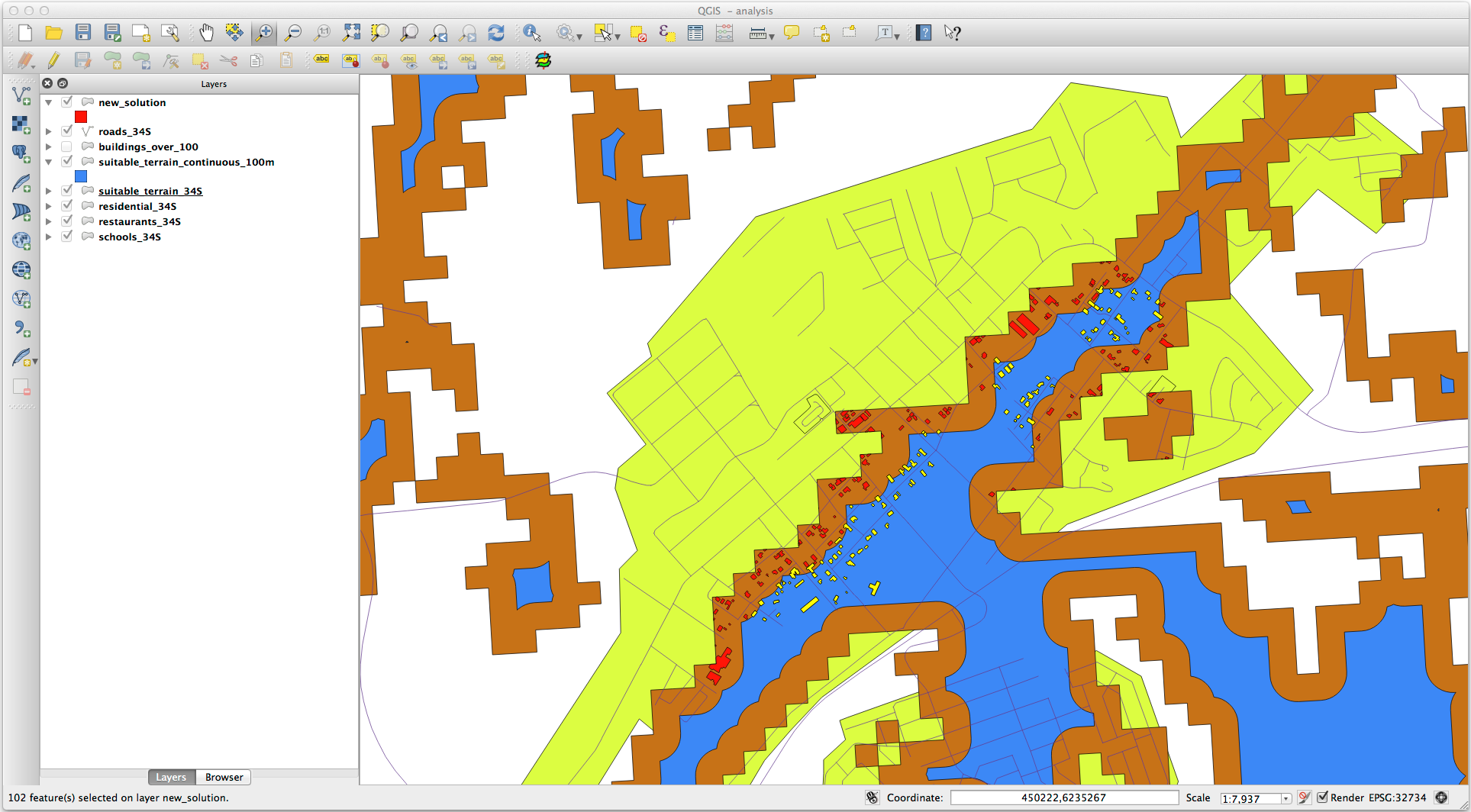
The yellow buildings are selected. Although some of the buildings fall partly outside the new
suitable_terrain_continuous100mlayer, they lie well within the originalsuitable_terrainlayer and therefore meet all of our requirements.Guarde la selección en
exercise_data/residential_development/comofinal_answer.shp.
8.2.4. En conclusión
Ahora has respondido a la pregunta original del estudio, y puedes ofrecer una opinión (con razonamientos respaldados en el análisis) para una recomendación respecto a que propiedad desarrollar.
8.2.5. ¿Y ahora qué?
Lo siguiente será presentar esos resultados como parte de tu segundo ejercicio.