중요
번역은 여러분이 참여할 수 있는 커뮤니티 활동입니다. 이 페이지는 현재 69.12% 번역되었습니다.
17. 3D 타일 작업
17.1. 3D 타일이란?
3D tiles are specification for streaming and rendering large-scale 3D geospatial datasets. They use a hierarchical structure to efficiently manage and display 3D content, optimising performance by dynamically loading appropriate levels of detail. This technology is widely used in urban planning, architecture, simulation, gaming, and virtual reality, providing a standardised and interoperable solution for visualising complex geographical data.
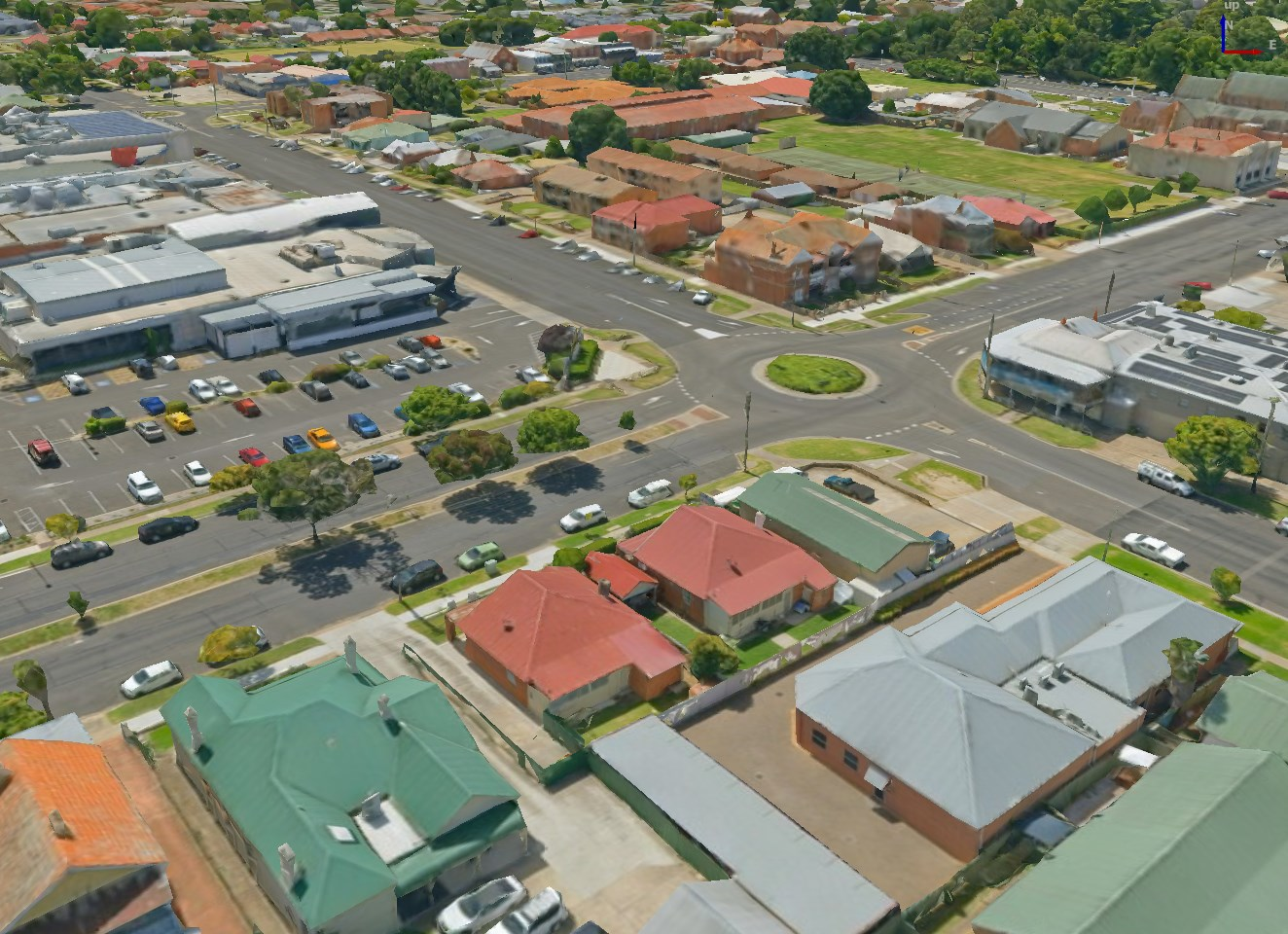
그림 17.1 3D 타일의 예시
See Using 3D tiled scene services for instructions on how to add these data sources to QGIS.
17.1.1. State of 3D Tiles Support
Currently, QGIS supports two formats of 3D tiles:
“Cesium” 3D Tiles are used primarily for complex 3D models of buildings or whole cities. Such datasets can be provided by cloud-based platforms such as Cesium Ion or Google (Photorealistic 3D Tiles).
Quantized Mesh tiles are used for terrain elevation data.
Supported 3D Tiles features:
QGIS currently has partial support for 3D Tiles 1.0 and partial support for 3D Tiles 1.1.
For 3D Tiles 1.0, the tile format Batched 3D Model (
b3dm) is supported. The tile formats Instanced 3D Model (i3dm), Point Cloud (pnts) and Composite (cmpt) are not supported yet.For 3D Tiles 1.1, the
3DTILES_content_gltfextension is supported, so tile contents may also be encoded as glTF 2.0 (text or binary). TheEXT_mesh_gpu_instancingextension is not supported yet.Currently only explicit tiling is supported. Implicit tiling is not supported yet.
Currently only tilesets using EPSG:4978 are supported.
17.2. 3D 타일 속성
3D 타일 Layer Properties 대화창은 다음 탭들로 이루어져 있습니다:


17.2.1. 정보 속성
Information 탭은 읽기 전용으로, 현재 레이어에 대한 요약 정보 및 메타데이터를 한 눈에 볼 수 있는 흥미로운 장소입니다. 다음과 같은 정보를 제공합니다:
레이어 제공자 기반: 이름, URL, 소스 유형 및 경로, 확대/축소 수준 개수
custom properties, used to store in the active project additional information about the layer. More properties can be created and managed using PyQGIS, specifically through the setCustomProperty() method.
좌표계: 이름, 단위, 메소드, 정확도, 참조(예: 정적인지 동적인지 여부)
채워진 메타데이터 로부터 선택: 접근, 범위, 링크, 연락처, 이력, …
17.2.2. 소스 속성
 Source 탭은 선택한 3D 타일에 대한 다음과 같은 기본 정보를 표시합니다:

17.2.3. 심볼 속성
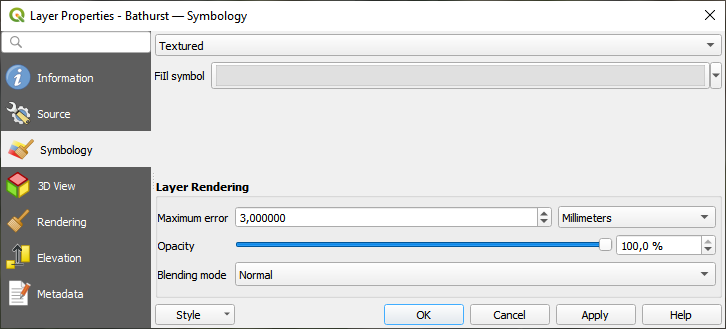
그림 17.2 3D 타일 레이어 심볼
레이어 스타일은 기본적으로 텍스처를 이용하지만, 드롭다운 메뉴에서 Wireframe 을 선택하면 신(scene) 뒤에 와이어프레임 메시(wireframe mesh)가 보이도록 변경할 수 있습니다. 메시의 채우기 및 라인 심볼을 벡터 폴리곤과 유사하게 변경할 수도 있습니다.  Use texture colors 를 체크하면 각각의 메시 요소를 전체 텍스처의 평균 색상값으로 렌더링할 것입니다. 대용량 데이터셋을 처리할 때 데이터를 빠르게 훑어보고자 하는 경우 이 옵션을 시도해볼 만합니다.
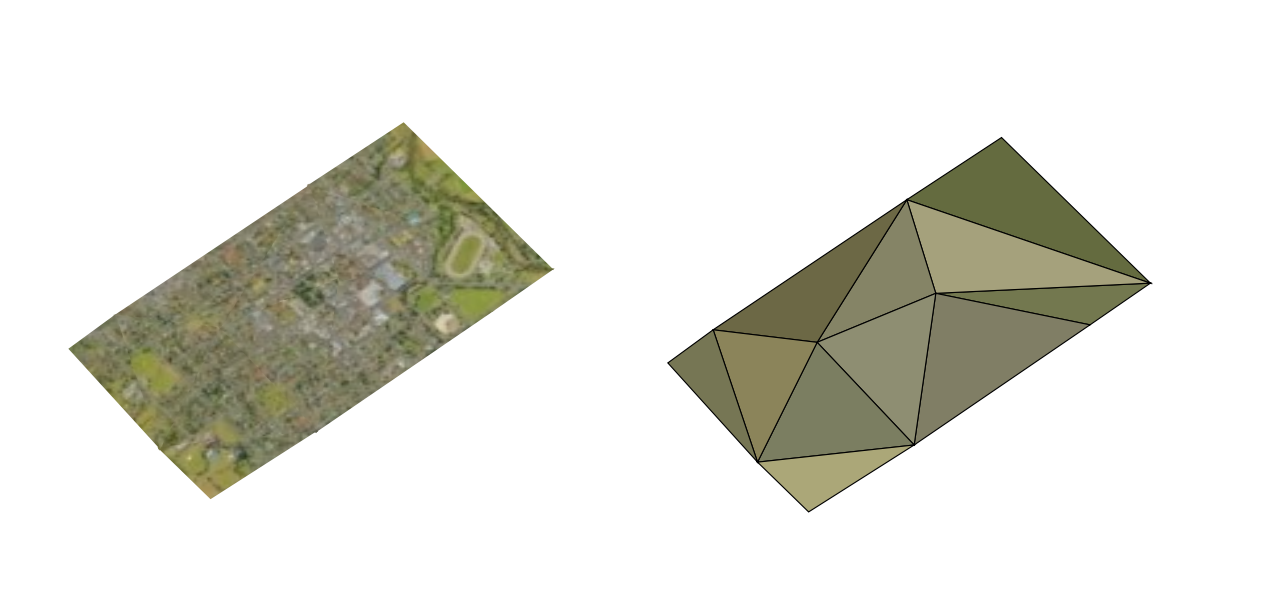
그림 17.3 3D 타일 ─ 텍스처와 와이어프레임
Symbology 탭에서 레이어의 모든 피처에 대해 일괄적으로 적용되는 다음 옵션들을 설정할 수도 있습니다:
Maximum error: 이 파라미터는 3차원 모델에 표시되는 상세 내용의 수준을 결정합니다. 3D 타일은 점구름과 마찬가지로 시각적 표현에 필요한 양보다 더 많은 정보를 담고 있는 경우가 많습니다. 이 설정을 조정하면 표시 밀도와 렌더링 속도 사이의 밸런스를 제어할 수 있습니다. 값이 클수록 (예: 5mm) 요소 사이사이에 눈에 띌 만한 틈이 생길 수도 있습니다. 반면에 값이 작을수록 (예: 0.1mm) 렌더링해야 할 상세 항목들의 개수가 과도해져 렌더링 과정의 속도가 느려질 가능성이 큽니다. 서로 다른 단위들 가운데 선택할 수 있으므로, 사용자의 특정한 수요에 맞춰 설정을 맞출 수 있습니다.
Opacity: Adjusts the visibility of the underlying layer on the map canvas using this tool. Use slider to tailor the visibility of your scene layer according to your preferences. Alternatively, specify the exact percentage of visibility through the menu next to the slider.
Blending mode: You can achieve special rendering effects with these tools that you may previously only know from graphics programs. The pixels of your overlaying and underlying layers are mixed through the settings described in 혼합 모드.
17.2.4. 3차원 뷰 속성
Maximum screen space error: Determines the threshold for swapping terrain tiles with more detailed ones (and vice versa) - i.e. how soon the 3D view will use higher quality tiles. Lower numbers mean more details in the scene at the expenses of increased rendering complexity.
 Show bounding boxes: Shows 3D bounding boxes of the
terrain tiles (useful for troubleshooting terrain issues).
Show bounding boxes: Shows 3D bounding boxes of the
terrain tiles (useful for troubleshooting terrain issues).
데이터를 보려면  New 3D map view 를 열면 됩니다.
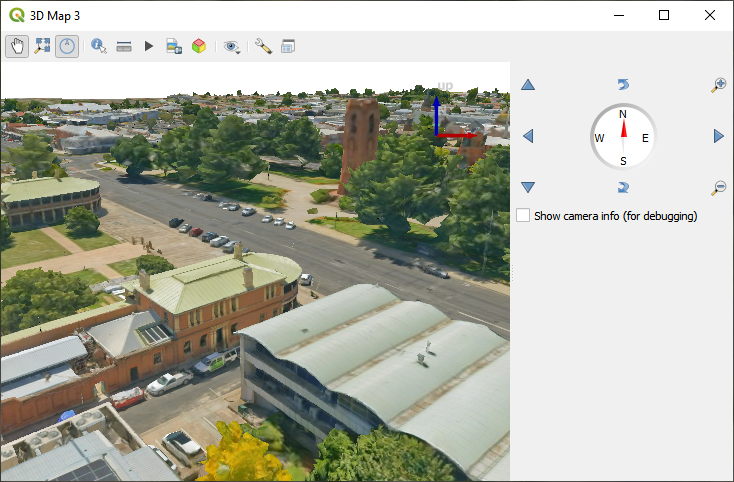
그림 17.4 3차원 맵 뷰
17.2.5. 렌더링 속성
Scale dependent visibility 에서는 Maximum (inclusive) 및 Minimum (exclusive) 축척을 설정해서 피처가 보이게 될 축척 범위를 정의할 수 있습니다. 이 범위를 벗어나면, 피처를 숨깁니다.  Set to current canvas scale 버튼을 클릭하면 현재 맵 캔버스의 축척을 가시성 범위의 한계값으로 설정할 수 있습니다. 자세한 내용은 가시성 축척 선택기 을 참조하세요.
17.2.6. 표고 속성
 Elevation 탭은 3차원 맵 뷰 안에서의 레이어 표고 속성을 제어할 수 있는 옵션들을 제공합니다. 그 중에서도 다음을 설정할 수 있습니다:
Elevation Surface: 3D 레이어의 수직 Z 값을 어떻게 지형 표고로 해석해야 할지를 정의합니다. Scale 인자와 Offset 값을 적용할 수 있습니다.
17.2.7. 메타데이터 속성
 Metadata 탭에 사용자 레이어에 대한 메타데이터 리포트를 생성하고 편집할 수 있는 옵션이 있습니다. 더 자세한 정보는 메타데이터 를 참조하세요.