重要
翻訳は あなたが参加できる コミュニティの取り組みです。このページは現在 100.00% 翻訳されています。
18.12. 範囲を定義する
注釈
このレッスンでは、いくつかのアルゴリズムによって必要とされている範囲、特にラスタの範囲を定義する方法について説明します。
いくつかのアルゴリズムは、それが行う解析によってカバーされる区域を定義するための範囲と、そしてたいていは結果のレイヤの範囲を定義することが必要です。
範囲が必要とされる場合は、それを定義する4つの値(最小X、最小Y、最大X、最大Y)を入力することによって手動で定義できますが、他にもそれを同様に行うより実用的でより興味深い方法があります。このレッスンではそれらのすべてを見ることができます。
まずは、範囲が定義されることを必要とするアルゴリズムを開いてみましょう。ベクタレイヤからラスタレイヤを作成する ラスタライズ(ベクタをラスタ化) アルゴリズムを開きます。
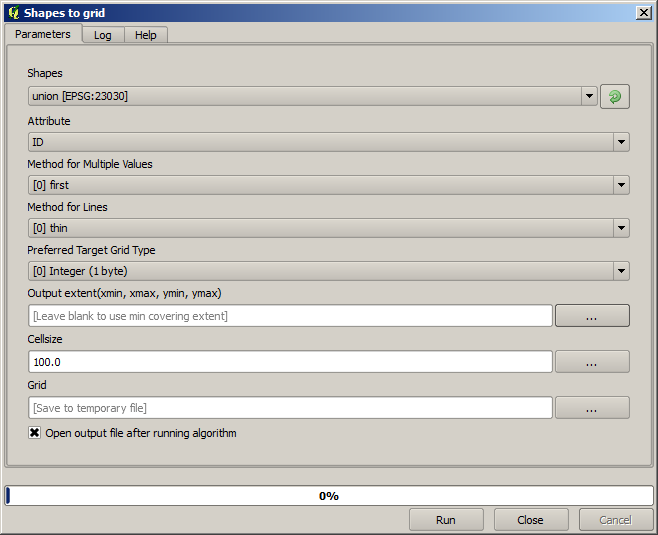
最後の2つのパラメータを除く全てのパラメータは、ラスタ化するレイヤを定義するためと、ラスタ化処理の方法を設定するために使用されます。一方で、最後の2つのパラメータは出力レイヤの特性を定義するものです。つまり、それらはカバーされる区域(入力ベクタレイヤがカバーする区域と同じとは限らない)と、解像度/セルサイズ(ベクタレイヤにはセルサイズがないため、ベクタレイヤから推測することはできない)を定義します。
まず行うことができることは、前に説明した定義する4つの値を、カンマで区切って入力することです。

それは余分な説明を必要としません。これは最も柔軟なオプションですが、場合によってはあまり実用的でないこともあり、それが他のオプションが実装されている理由です。それらにアクセスするには、範囲テキストボックスの右側のボタンをクリックする必要があります。
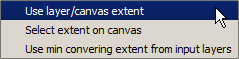
それらのそれぞれが何をするか見てみましょう。
第1のオプションは レイヤ/キャンバス範囲を使用 で、以下に示す選択ダイアログが表示されます。

ここでは、キャンバスの範囲(現在のズームでカバーされている範囲)、または利用可能ないずれかのレイヤの範囲を選択できます。それを選択して OK をクリックすると、テキストボックスが自動的に対応する値で満たされます。
第2のオプションは、 キャンバス上で範囲選択 です。この場合、アルゴリズムダイアログが消え、所望の範囲を定義するためにQGISキャンバス上でクリック&ドラッグできます。
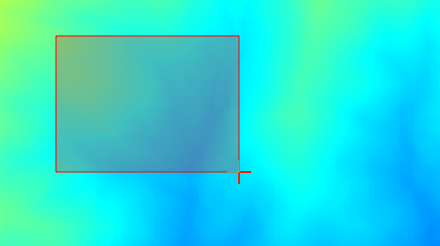
マウスボタンを放すとダイアログが再び現れ、そのテキストボックスには定義された範囲に対応する値がすでに入っています。
最後のオプションは、 入力レイヤ範囲をカバーする最小の使用 で、デフォルトのオプションです。これは、アルゴリズムを実行するために使用される全てのレイヤをカバーする最小の範囲を計算し、テキストボックスに値を入力する必要はありません。ここで実行しているアルゴリズムのように入力レイヤが単一の場合は、すでに見た レイヤ/キャンバス範囲を使用 にあるのと同じ入力レイヤを選択することによって同じ範囲を得ることができます。しかしながら入力レイヤが複数存在する場合、カバーする最小の範囲はそれらをまとめたものから計算されるので、入力レイヤの範囲のいずれにも該当しません。
ラスタ化アルゴリズムを実行するために、この最後のメソッドを使用します。
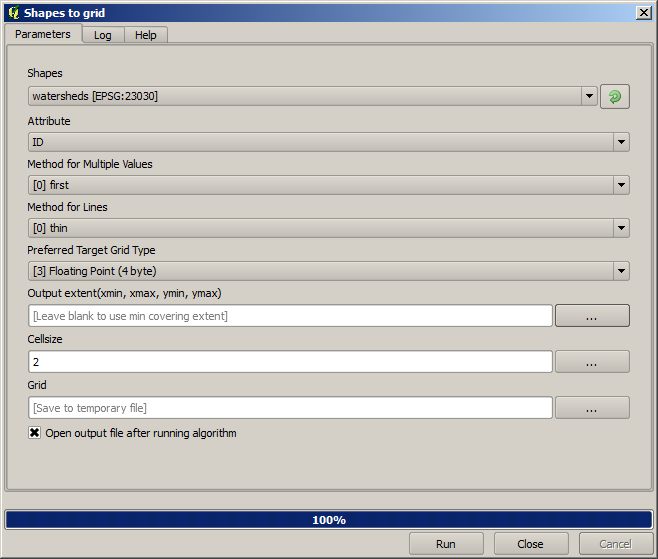
次に示すようにパラメータダイアログボックスを入力し、 OK を押してください。
注釈
この場合には、 NAME は最大値=64の整数なので、浮動小数点数(4バイト) よりも 整数(1バイト) を使用するほうが良いです。これによってファイルサイズは小さくなり、計算がより高速になります。
元のベクタレイヤがカバーする区域を正確にカバーするラスタ化レイヤが得られるでしょう。
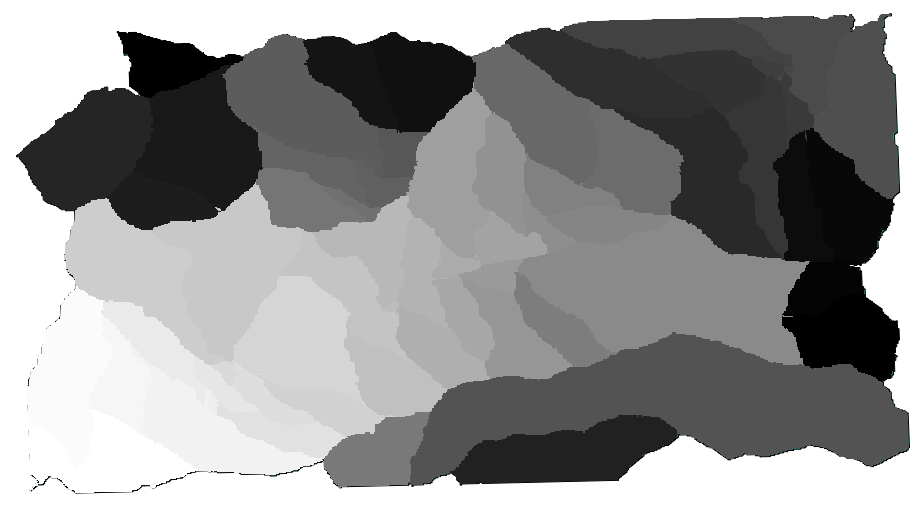
場合によっては、最後のオプション 入力レイヤ範囲をカバーする最小の使用 が使えないことがあります。これは、入力レイヤを持たず他のタイプのパラメータだけ持つアルゴリズムで起こります。その場合は、手動で値を入力するか、他のオプションのいずれかを使用する必要があります。
選択が存在する場合、レイヤの範囲は地物の全体集合のことであり、たとえラスタ化が選択された項目に対してのみ実行されても、選択は範囲を計算するために使用されませんのでご注意ください。その場合は、実際に選択から新しいレイヤを作成しそれを入力として使用したいかもしれません。