重要
翻訳は あなたが参加できる コミュニティの取り組みです。このページは現在 100.00% 翻訳されています。
8.2. レッスン: 分析を組み合わせる
ラスタ解析の結果をベクタ化したものを使うと、適した地形にある建物だけを選択することができます。
このレッスンの目標: 適した小区画の地所を選び出すためにベクタ化した地形の結果を使う。
8.2.1. ★★☆ (中級レベル) 自分でやってみよう:
現在の地図 (
raster_analysis.qgs)を保存します。以前にベクタ解析中に作成した地図を開きます(ファイルを
analysis.qgsとして保存したはずです)。レイヤ パネルで次のレイヤを有効にします:
hillshade、solution(又はbuildings_over_100)
これらのレイヤに加え、以前作業したときに既に地図に読み込まれているはずの
suitable_terrain.shpデータセットも追加します。もし、レイヤが足りない場合は、
exercise_data/residential_development/にあるはずです交差(intersect) ツール( :menuselection:` ベクタ --> 空間演算ツール` )を使って、
new_solution.shpという新しいベクタレイヤを作成し、suitable_terrainレイヤと交差する建物のみを格納します。
あなたは解として特定の建物を示すレイヤを持っているはずです。例えば:
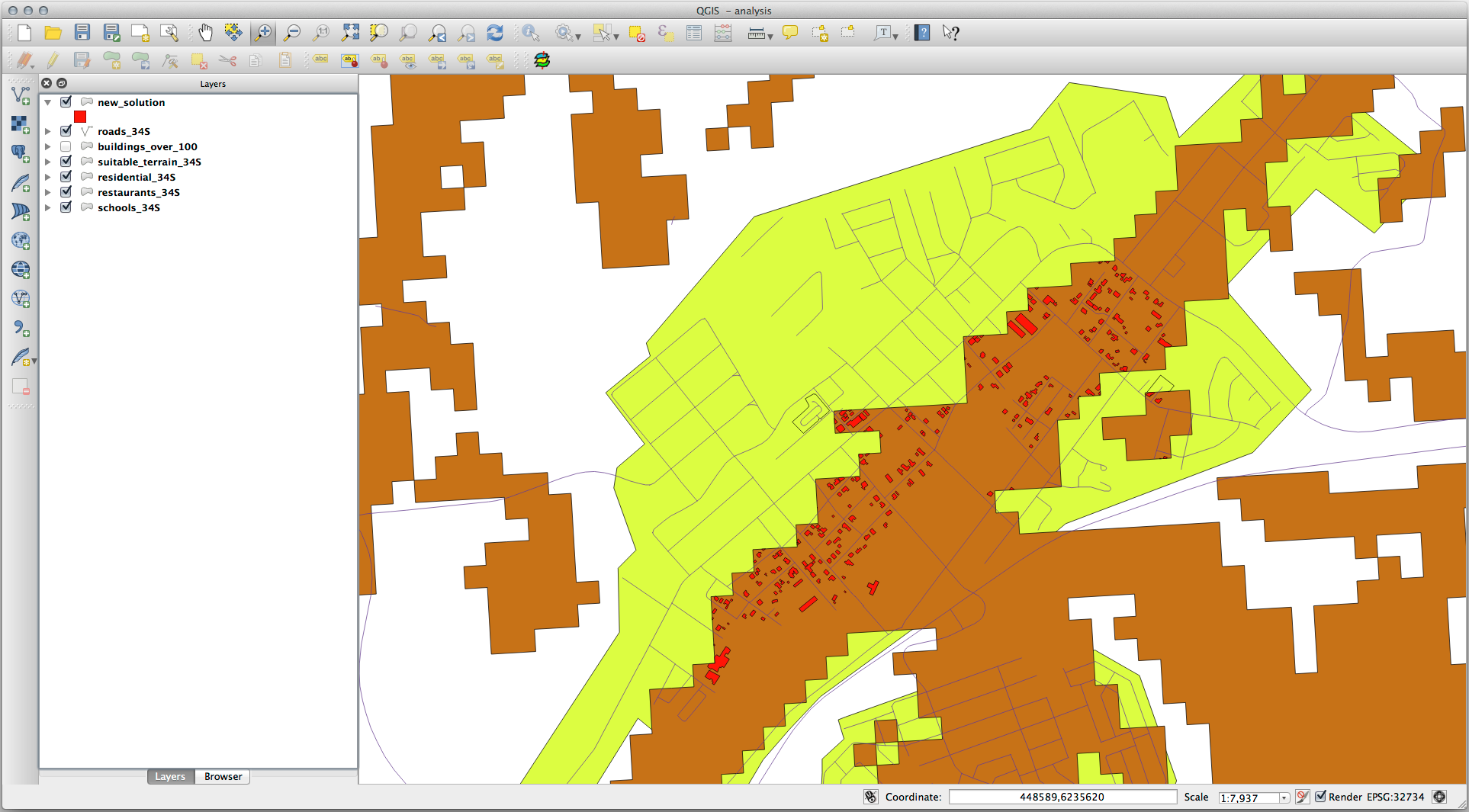
8.2.2. ★★☆ (中級レベル) やってみよう: 結果を検査する
new_solution レイヤの建物をそれぞれ見てください。 new_solution レイヤのシンボロジがアウトラインだけになるように変更し、それらを suitable_terrain レイヤと比較してください。建物のいくつかについて何に気づきましたか? それらは suitable_terrain レイヤと交差しているからといって全て適当ですか? その理由は? どれが不適当だと考えますか?
答え
new_solution レイヤの一部の建物が 交差(intersection) ツールによって「スライス」されていることに気付いたでしょうか。これは、建物の一部のみ、つまり地所の一部のみが適切な地形にあることを示しています。したがって、これらの建物をデータセットから適切に削除できます。
8.2.3. ★★☆ (中級レベル) やってみよう: 解析の改良
結果に含まれていた建物の中には本当には適していないものがありましたので解析を改良しましょう。
私たちの解析が完全に suitable_terrain レイヤ内にある建物のみを返すようにしたいです。そのためにはどうすればよいでしょうか? ひとつまたは複数のベクタ解析ツールを使うことと、建物は大きさが全て100m四方を超えていることを覚えておいてください。
答え
現時点では、このような解析ができるはずです:
全方向で100mに渡っている円形の区域を考えてみましょう。

半径が100mより大きいとき、その大きさから(全方向から)100mを引くと、真ん中にその一部が残ることになります。
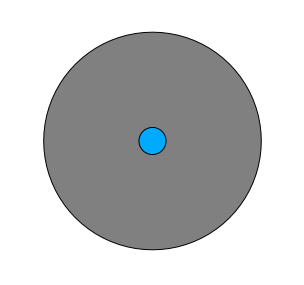
したがって、既存の suitable_terrain ベクタレイヤで100メートルの 内側バッファ を実行できます。バッファ関数の出力では、元のレイヤに残っているものは全て、100メートル先の適切な地形がある領域を表します。
実際に試してみましょう:
:menuselection:`ベクタ --> 空間演算ツール --> バッファ(buffer)`でバッファダイアログを表示します。
このように設定します:
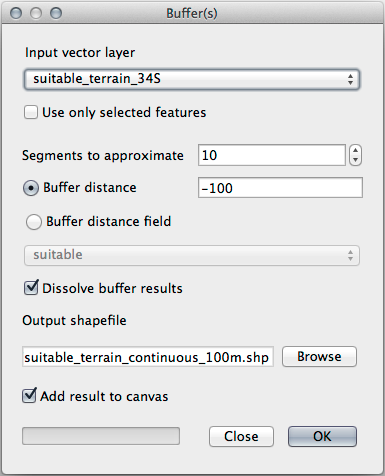
suitable_terrainレイヤを使用して、10のセグメントと-100のバッファ距離を設定します。(地図が投影型 CRS を使用しているため、距離は自動的にメートルで表示されます。)出力結果を
exercise_data/residential_development/にsuitable_terrain_continuous100m.shpとして保存してください。必要であれば、新しいレイヤを元の
suitable_terrainレイヤの上に移動させます。結果はこのようになります:
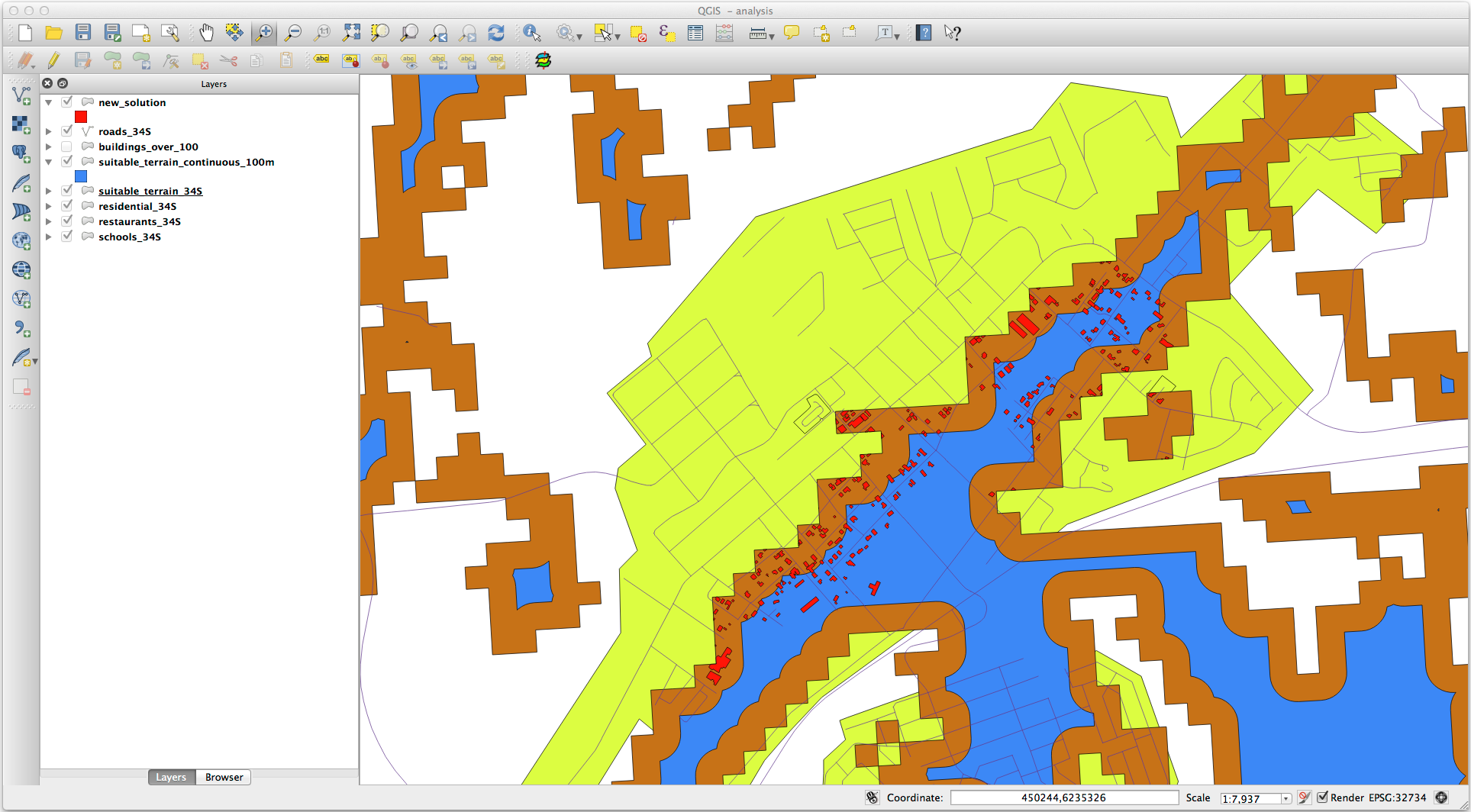
ここで、場所による選択 `ツール(:menuselection:`ベクタ --> 調査ツール --> 場所による選択)を使います。
次のように設定します:
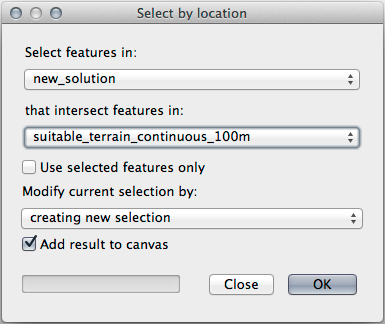
new_solutionにある地物のうち、suitable_terrain_continuous100m.shpにある地物と交差するものを選択します。これがその結果です:
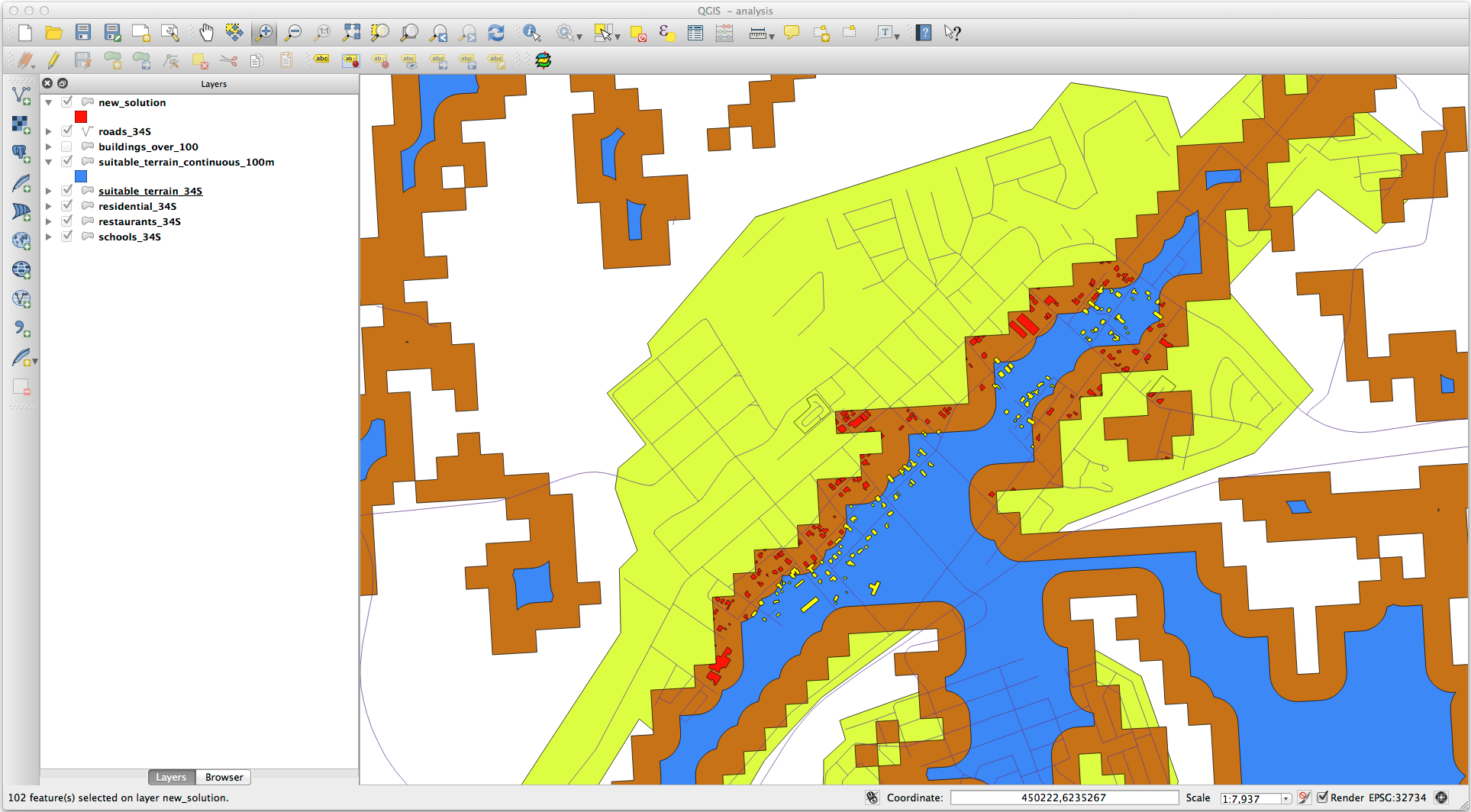
黄色い建物が選択されています。一部の建物は部分的に新しい
suitable_terrain_continuous100mレイヤの外側にありますが、元の suitable_terrain レイヤ内に十分に収まっているため、全ての要件を満たしています。選択部分を
exercise_data/residential_development/の下にfinal_answer.shpという名前で保存してください。
8.2.4. 結論
これで当初の研究課題に答え、どの地所を開発するべきかに関する推薦の意見を(理由をもって、分析に支えられて)提示できます。
8.2.5. 次は?
次は2番目の研究課題の一部としてこれらの結果を提示します。