Importante
La traduzione è uno sforzo comunitario you can join. Questa pagina è attualmente tradotta al 62.50%.
18.11. Calcolatore Campi per i Vettori
Nota
In questa lezione vedremo come aggiungere nuovi attributi ad un layer vettoriale basato su un’espressione matematica, usando il calcolatore campi per i vettori.
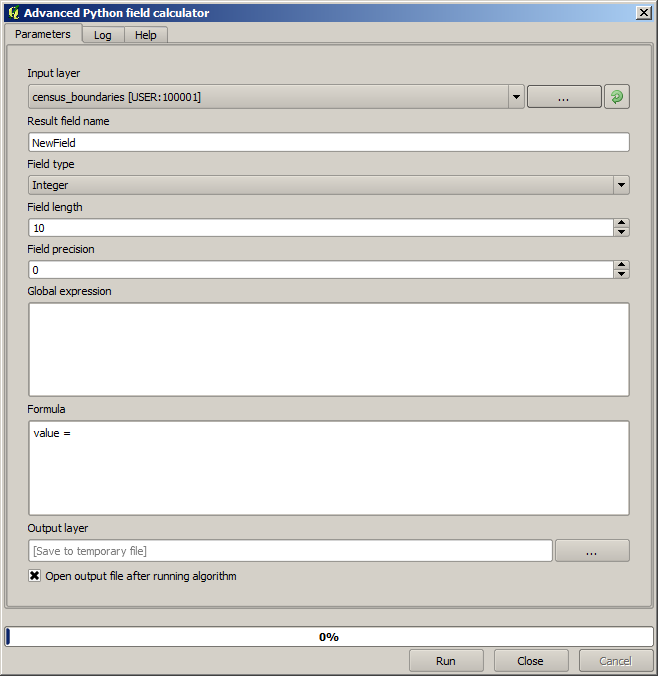
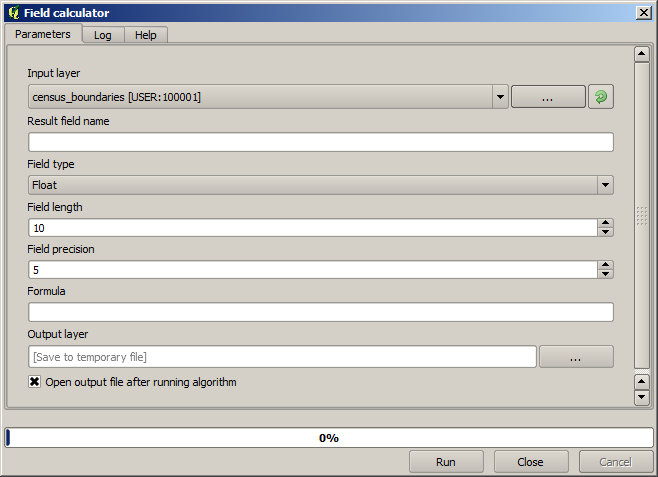
We already know how to use the raster calculator to create new raster layers using mathematical expressions. A similar algorithm is available for vector layers, and generates a new layer with the same attributes of the input layer, plus an additional one with the result of the expression entered. The algorithm is called Field calculator and has the following parameters dialog.
Nota
Nelle versioni più recenti di Processing l’interfaccia è cambiata considerevolmente, è più potente e più facile da usare.
Ecco alcuni esempi di utilizzo di questo algoritmo.
First, let’s calculate the population density of white people in each polygon, which represents a census.
We have two fields in the attributes table that we can use for that, namely WHITE and SHAPE_AREA.
We just have to divide them and multiply by one million (to have density per square km),
so we can use the following formula in the corresponding field:
( "WHITE" / "SHAPE_AREA" ) * 1000000
La finestra di dialogo dei parametri dovrebbe essere riempita come mostrato qui sotto.
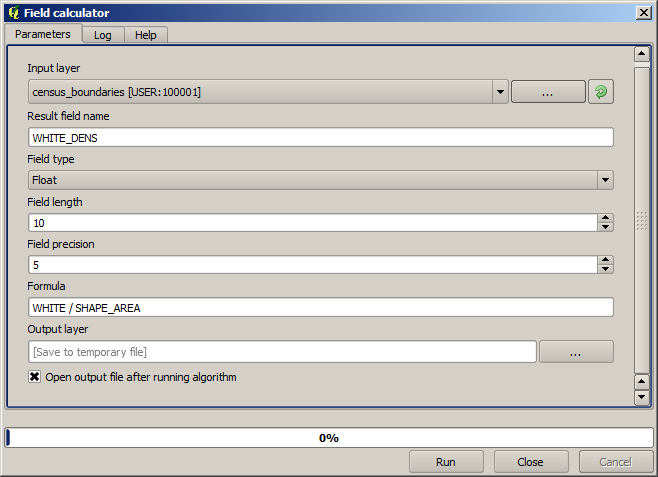
This will generate a new field named WHITE_DENS.
Ora calcoliamo il rapporto tra i campi MALES e FEMALES per crearne uno nuovo che indichi se la popolazione maschile è numericamente predominante su quella femminile.
Enter the following formula:
"MALES" / "FEMALES"
This time the parameters window should look like this before pressing the OK button.
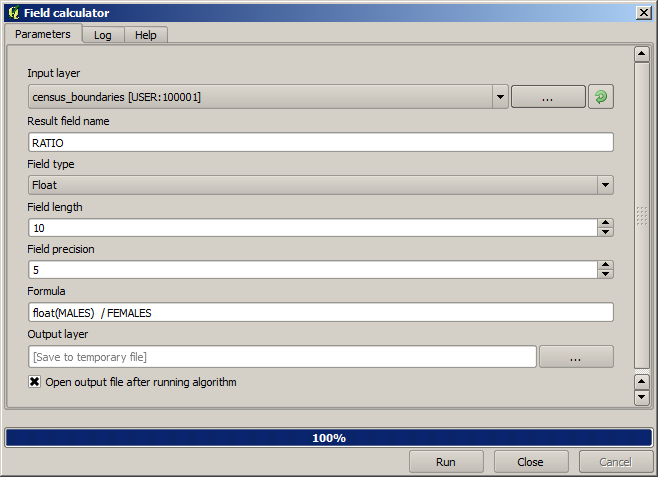
Nella versione precedente, poiché entrambi i campi sono di tipo intero, il risultato sarebbe troncato a un intero. In questo caso la formula dovrebbe essere: 1.0 * "MALES" / "FEMALES", per indicare che vogliamo un risultato in virgola mobile.
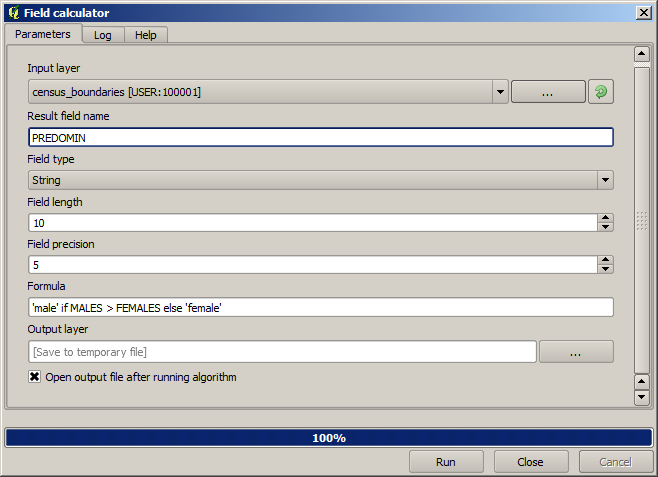
Possiamo usare le funzioni condizionali per avere un nuovo campo con stringhe di testo male o female al posto di quei valori di rapporto, usando la seguente formula:
CASE WHEN "MALES" > "FEMALES" THEN 'male' ELSE 'female' END
La finestra di dialogo dei parametri dovrebbe assomigliare a questa.
A python field calculator is available in the Advanced Python field calculator, which will not be detailed here.